
Real-Time Upscaler for Linux
linux-rt-upscaler is a new desktop upscaling software that uses AI models like CuNNy (Convolutional upscaling Neural Network). Similar to magpie in windows.
It only works with XWayland application, it won't work on native Wayland applications.
Installation
Follow the up to date install guide according to your distro.
Usage
Use upscale-gui to open the interface.
Use upscale --help-all for detailed and up to date usage instructions.
You can choose models with -m: -m, --model {8x32,4x32,4x24,4x16,4x12,3x12,fast,faster,veryfast}. the heavier models are very taxing and will require a newer powerful GPU to run smoothly.
I recommend setting up profiles for common resolution targets according to your gpu power, once set up you can configure them to auto apply based on the window resolution.
There is also an option to run the gui as a tray icon that should make it easier to run and stop the upscaling.
Can also make simple script to run and stop the program over the current window, for example:
#!/usr/bin/env bash

PROCESS_NAME="upscale"
UPSCALE_MODEL="4x16"

UPSCALE_CMD="upscale --target-delay 1 -m $UPSCALE_MODEL"

# Check if process is running by name
if pgrep -x "$PROCESS_NAME" > /dev/null; then
    pkill -x "$PROCESS_NAME"
else
    # Launch detached so it survives the script exiting
    nohup $UPSCALE_CMD > /dev/null 2>&1 &
fi
Once upscale is enabled in your game you can also toggle it on and off with Alt+Shift+S shortcut.
Comparasion screenshot taken from the github: 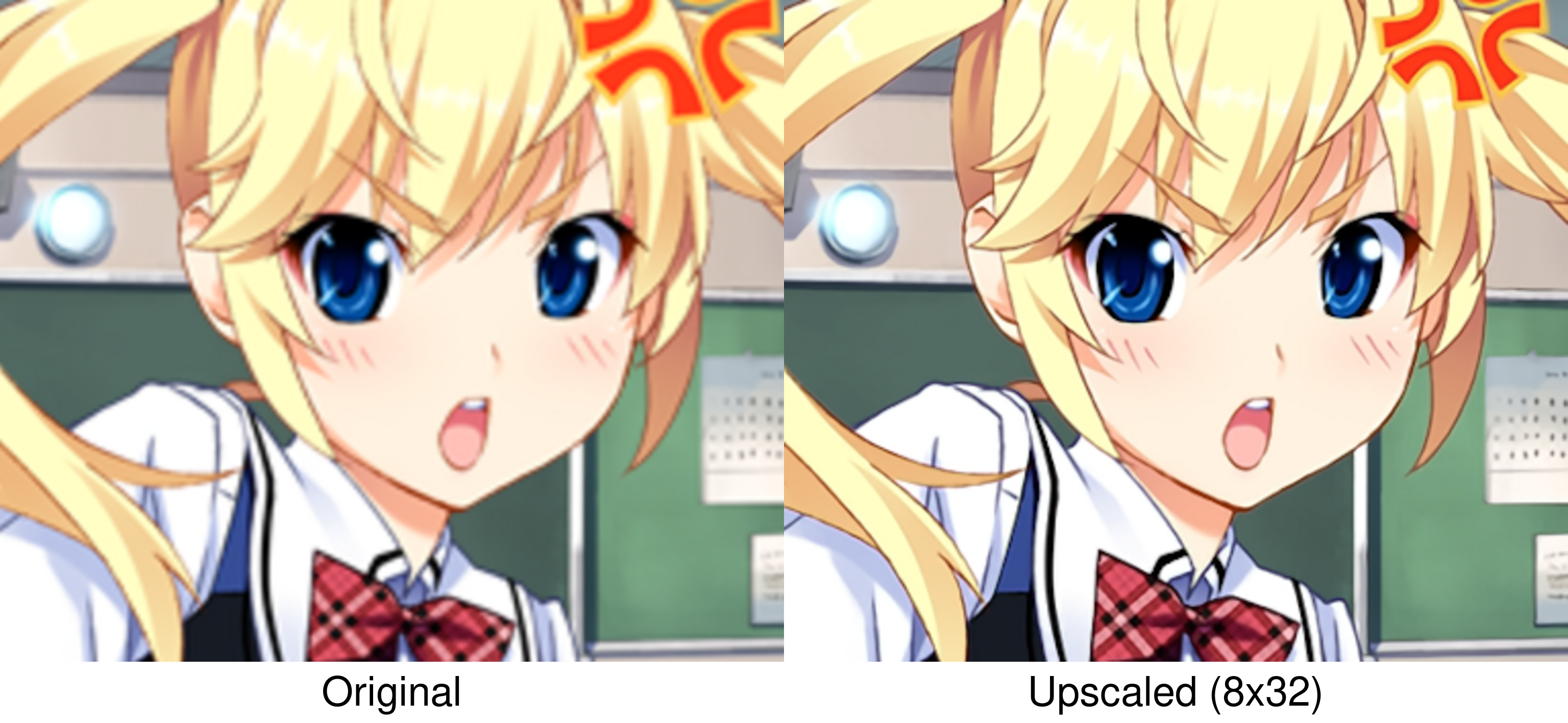
 uni
uni Saetron